Nero TuneItUp3.8
Publisher Description
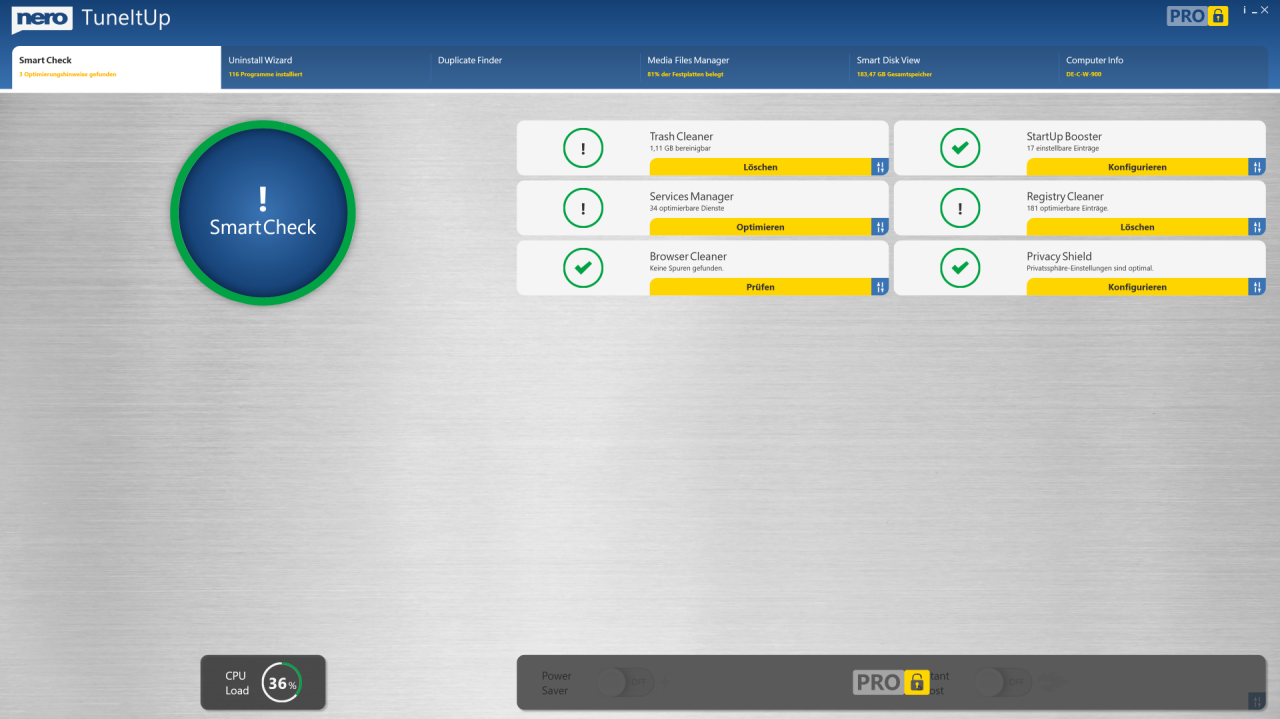
Nero TuneItUp is an optimization, tuning and maintenance tool for Windows PCs which helps you analyze and fix common problems, and optimize system settings.
Optimising and accelerating like a pro: Nero TuneItUp makes your PC faster, updates your drivers, and you will no longer have problems with Internet that is too slow.
The free version lets you do the following:
(1) Sart Windows faster
Did you know that during system startup programs are automatically preloaded so they can be started faster later on? Most of these processes slow down your system and are not needed on a day-to-day basis. Nero TuneItUp PRO simply switches off these unnecessary processes, meaning that your Windows will start faster than ever before!
(2) Surf the Web faster
Regardless of your internet connection, the wrong browser configuration can seriously slow down your surfing experience. Nero TuneItUp PRO analyses your Internet settings and optimises them with one click!
(3) Optimize your Operating System
During system start Windows loads unnecessary background programs and services that are normally not needed. Nero TuneItUp PRO optimizes the configuration. Certain Windows settings can negatively affect your PC's performance. Nero TuneItUp PRO can automatically optimise your settings and lets you quickly customize your Windows.
(5) Save Energy
Only a properly configured system works stably and reliably. Nero TuneItUp PRO offers the possibility to save energy and protect the environment with just one click - while maintaining the same PC performance! It also extends the battery life of notebooks
About Nero TuneItUp
This System Maintenance program is available in English, Danish, Dutch, Finnish, French, German, Italian, Norwegian, Polish, Portuguese, Russian, Spanish, Swedish. It was last updated on 29 September, 2026. Nero TuneItUp is compatible with the following operating systems: Windows.
The company that develops Nero TuneItUp is Nero AG. The latest version released by its developer is 3.8.
The download we have available for Nero TuneItUp has a file size of 159.4 MB. Just click the green Download button above to start the downloading process. The program is listed on our website since 2024-03-23 and was downloaded 14 times. We have already checked if the download link is safe, however for your own protection we recommend that you scan the downloaded software with your antivirus. Your antivirus may detect the Nero TuneItUp as malware if the download link is broken.
How to install Nero TuneItUp on your Windows device:
- Click on the Download button on our website. This will start the download from the website of the developer.
- Once the Nero TuneItUp is downloaded click on it to start the setup process (assuming you are on a desktop computer).
- When the installation is finished you should be able to see and run the program.
Program Details
General
System requirements
Download information
Pricing
Version History
version 3.8
posted on 2024-03-23
Bug fixes and stability improvements.
version 3.7.0.2
posted on 2023-09-20
New: Version in the caption bar of the main window.
New: Welcome dialog for the FREE version.
version 3.6
posted on 2023-05-24
Easily tidy up your Download folder by automatically organizing pictures, videos, and audio files with just one click.
version 3.4
posted on 2022-11-07
Find and end the process which slows down your PC
version 1.2.0.44
posted on 2022-08-05
Improved support for Nero TuneItUp in Nero Start
version 1.2
posted on 2022-03-15
Bug fixes and improvements.
version 1.1.0.173.0
posted on 2021-10-20
Now in Nero TuneItUp you are able to launch Nero BackItUp to backup important files before you delete them in MediaFilesManager and DuplicateFinder.
Improved log file for trouble shooting.
version 1.1.0.173
posted on 2021-08-03
The automatic monitoring feature works in the background and will notify you the moment your PC starts running slower again, helping you keep your PC in top shape at all times.
